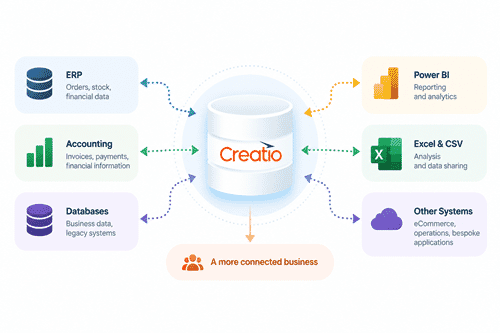
Get More From Your Creatio Data
Your business information rarely exists in just one system.
Data Islands connects Creatio with the wider systems and data your business relies on.
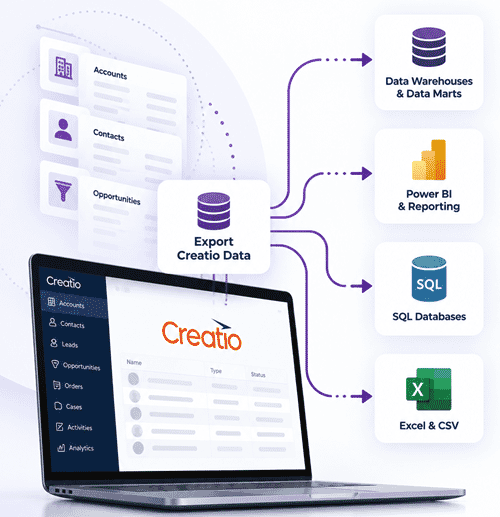
Export Creatio Data
Turn Creatio Data Into Useful Business Information
Query the information you need from Creatio and make it available for data warehouses, Power BI, SQL databases, Excel, CSV and other business applications.
Data Islands can also translate Creatio lookup IDs into meaningful values, making exported data easier to use for reporting and analysis.
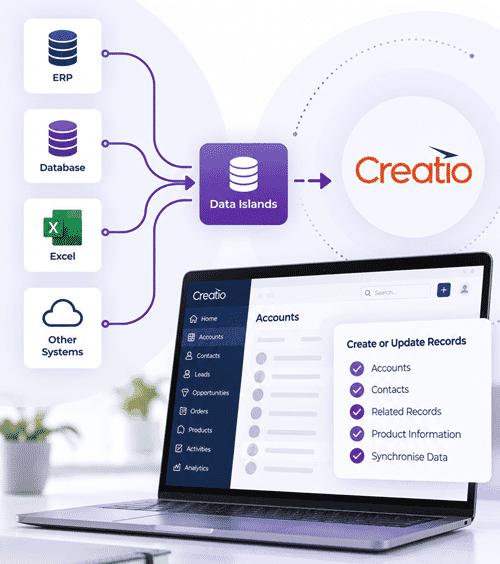
Bring External Data Into Creatio
Connect ERP and Other Business Data With Your CRM
Integration doesn’t have to be one-way.
Create and update Creatio records using information from ERP systems, databases and other business applications.
Data Islands can also resolve readable values from an external system to the GUID values required by Creatio, simplifying integrations where systems use different internal IDs.
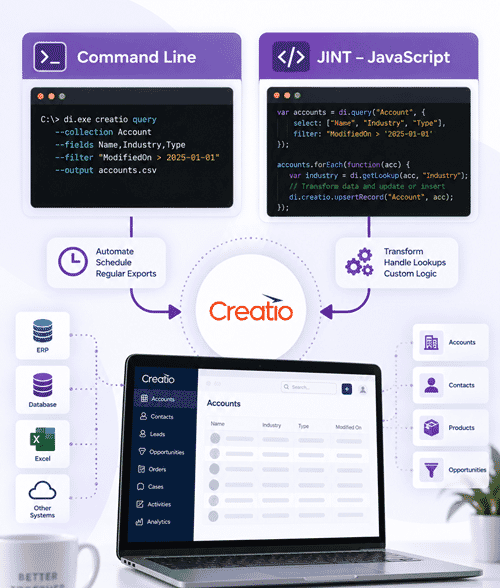
Two Ways to Build Your Integration
Data Islands provides two modes for working with Creatio.
Command Line
For straightforward queries and automated processes. Query Creatio data and incorporate the results into scheduled exports and data feeds.
JINT – JavaScript
For more complex integrations requiring data transformation, Creatio lookup handling and more sophisticated data flows.
That’s probably sufficient. The technical documentation can explain the rest.
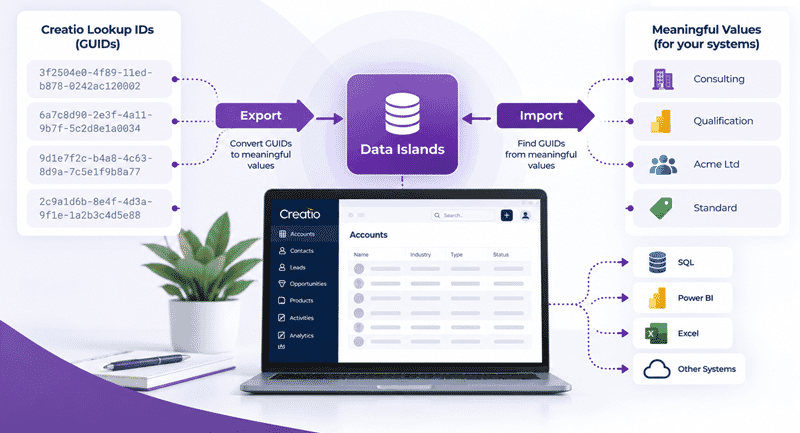
Make Creatio Lookups Easier to Work With
From GUIDs to Meaningful Data – and Back Again
Creatio uses GUIDs to identify records and lookup values.
That’s ideal internally, but it can make integration more complicated when another application knows an industry simply as “Consulting”, a stage as “Qualification”, or a customer by name.
Data Islands helps bridge that gap.
When exporting data, lookup IDs can be converted into meaningful values that are easier to use in reporting, SQL databases and external applications.
When importing data, Data Islands can find the appropriate Creatio GUID from a meaningful value so that information can be written back to the correct Creatio record.
This makes it much easier to build integrations between Creatio and systems that organise their data differently.
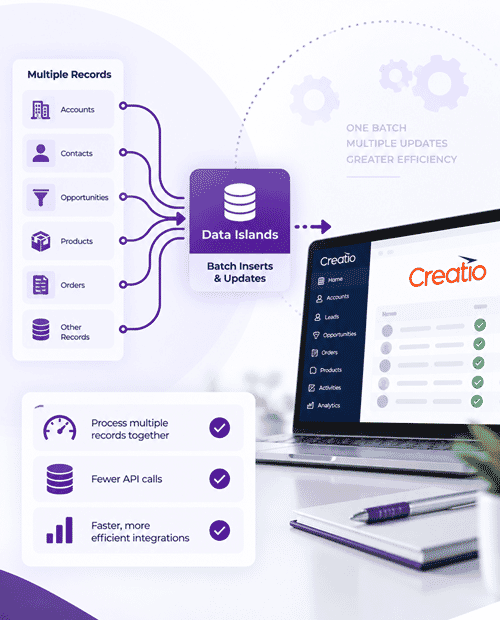
Faster Updates With Batching
Faster Updates With Batching
Efficiently Process Larger Data Updates
Data Islands supports batch inserts and updates using Creatio’s OData Batch API, allowing multiple changes to be processed together rather than individually.
Ideal for integrations involving larger volumes of data.
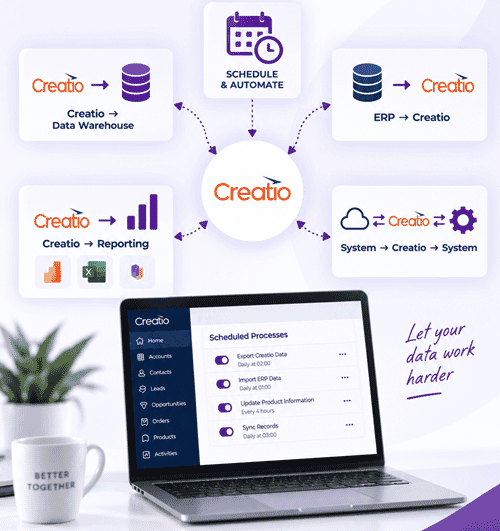
Automate Your Creatio Data Flows
Once your integration is configured, Data Islands processes can be automated and scheduled.
Creatio → Data Warehouse
Extract CRM data for consolidated reporting.
ERP → Creatio
Keep customer, product and operational information available in CRM.
Creatio → Reporting
Prepare CRM data for Power BI, Excel and other reporting tools.
System → Creatio → System
Create automated two-way data flows.
Why Data Islands for Creatio?
Break Down Data Silos | Control the Data You Share | Simplify Creatio Lookups | Transform Your Data | Automate Integrations | Scale Your Updates

Connect Creatio. Connect Your Data.
From straightforward data exports to sophisticated ERP integrations, Data Islands helps connect Creatio with the systems your business depends upon.
Want to discuss a Creatio integration?
Tell us what you’re trying to connect and we’ll be happy to discuss how Data Islands could help.