‘Office 365 client version update’
Client Version: 1.8.4
Email Matching
In compose mode when you open the Accelerator taskpane it will match to the first email in the ‘TO’ field.
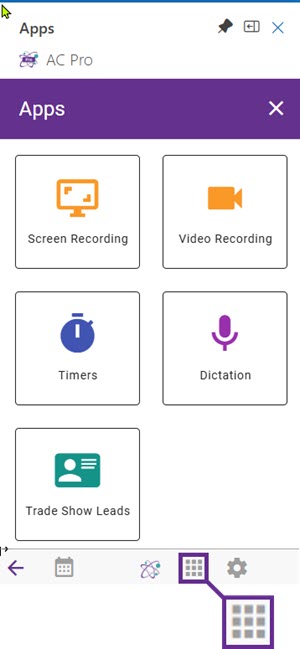 New Apps Menu Available
A selection of utilities available for Accelerator Users
- Screen Recording -free
- Video Recording – free
- Timers – Free allowance for low traffic usage
- Dictation – Free
- Trade Show Leads – Free allowance for low traffic usage
- Create Leads
- Capture a file on your computer
- Scan a badge
- Take a screenshot
Fast File email button
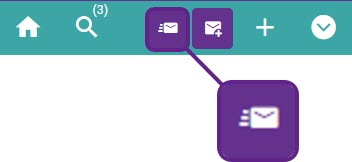 This is an option to file an email without the dialog opening to confirm the location. If the context is based upon the email address it may not be necessary to view the filing options.
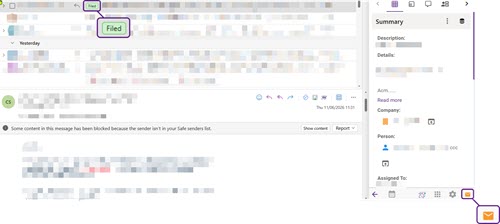
Emails Filed Flag
When an email is filed with Accelerator for Sage CRM there are now 2 flags set to indicate this. An orange flag in the task pane and a category denoted in green within the email itself
Back Navigation added 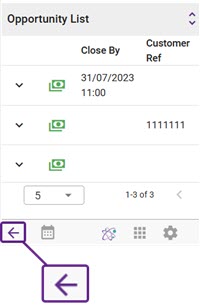
Subject to feedback from customers, a small annoyance was that if, for example, you navigated to a list in Accelerator, selecting an option to review, you then could not easiy navigate back to the list. With this in mind we have added a ‘back’ button to allow you retrace your steps within Accelerator
Calendar and tasks buttons in footer menu
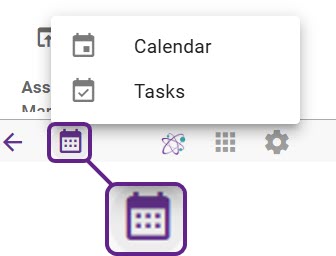 For ease of use the calendar and tasks items are added to the footer menu.
Within this area, new tasks or calendar items can be added to Sage CRM in real time.
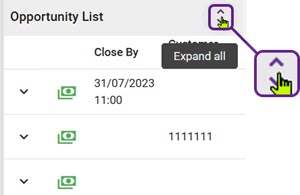
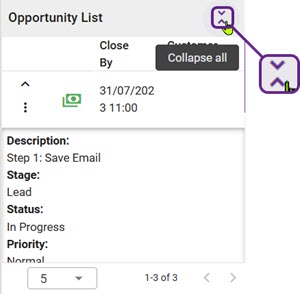
Expand all list items option
Again from customer feedback, the experience was that it was too clunky to open and close items from a list. With this in mind we have now given the user the option to view a list expanded or collapsed.
External links
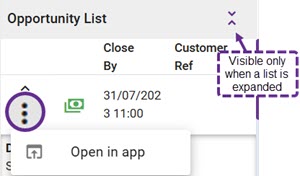 Within lists, ‘other links’ are under a single menu (three vertical dots)
Visible only when the list item is expanded
Transcribe option added on log call
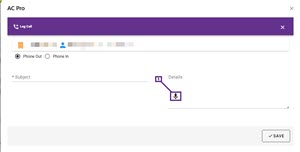 It is now possible to transcribe directly into Accelerator when logging details around a call with the client.
History filter improvements.
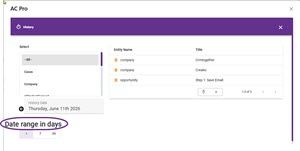 it is now possible to specify a date range to make searching more efficient rather than being limited to a specific date
List navigation
Removed first and last options. This was done to make better use of the space in the footer

“Copy tag”
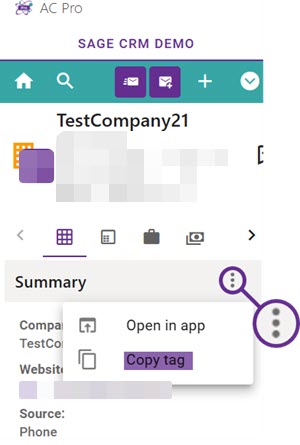 New menu option to allow a tag to be copied, particularly useful for cases or opportunities where the context is not based upon an email address.
A use case would be when writing a new email, to quicly copy the tag from Accelerator and insert into the body of an email for the relevant context to be picked up by Accelerator. Unless the tag is removed, Accelerator will continue to read the tag before reading the email address.
Our product is constantly being updated, we value all feedback from partners and customers so do please let us know if you have suggestions for further enhancements. Lets us know via our contact page here…